NEWS4CYBER
Phishing Techniques

The social engineering landscape is shifting rapidly. Cybercriminals are moving away from basic credential-harvesting forms, favoring techniques that exploit legitimate system features and leverage indirect command execution.
Here is a breakdown of today's most prevalent and sophisticated phishing techniques, including ClickFix and its underlying variants.
ClickFix and Terminal-Based Execution Attacks
ClickFix is an execution-based phishing technique where the attacker tricks the victim into running malicious code on their own machine under the guise of fixing a technical issue.
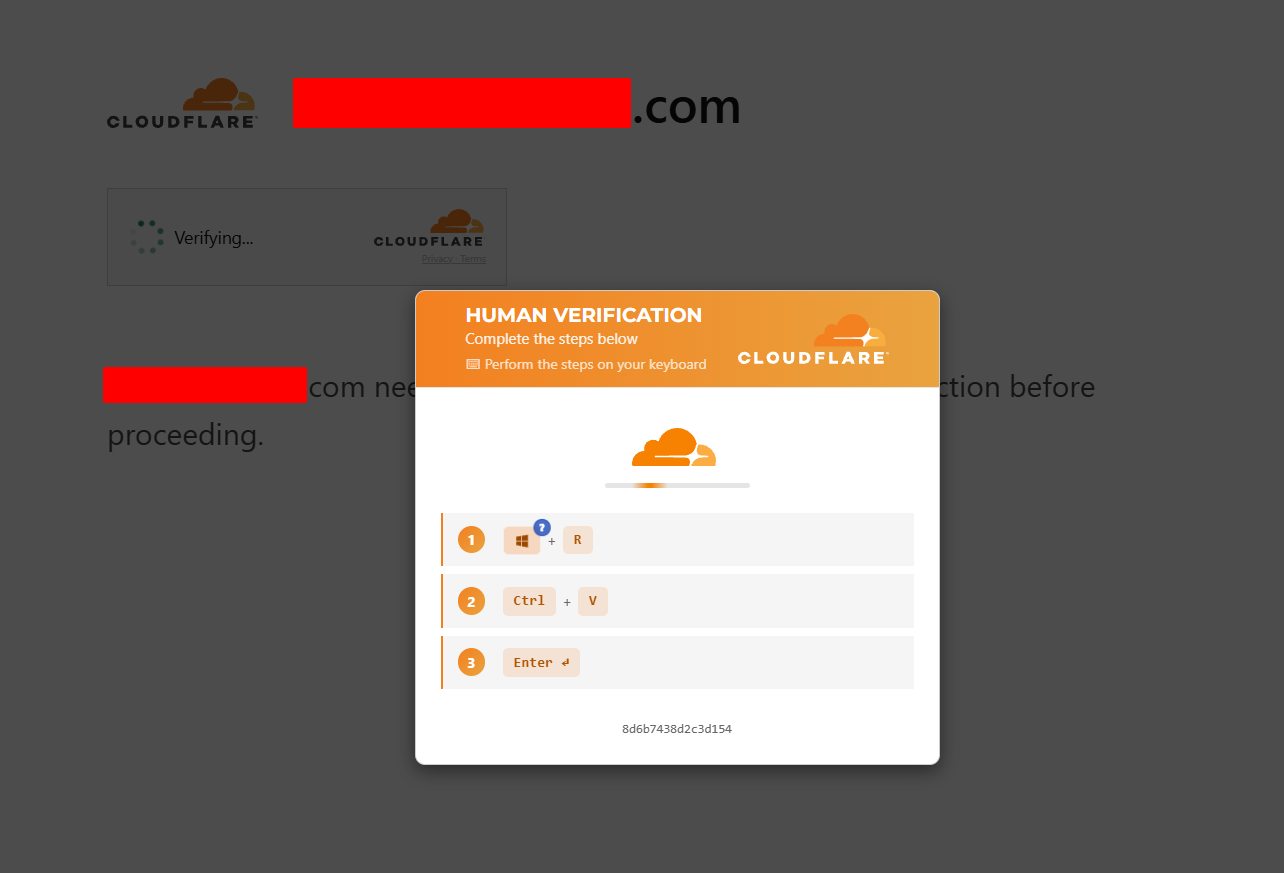
- The Hook: While browsing a compromised website, a pop-up appears mimicking a browser error (Chrome, Edge), a Cloudflare CAPTCHA, or a conference app glitch (Zoom, Teams).
- The Trick: The dialog instructs you to perform a quick "fix" by pressing a key combination (e.g.,
CTRL + RthenWindows + R), pasting a string already copied to your clipboard, and pressingEnter. - The Impact: Pushing those keys opens the Windows Run prompt or PowerShell and executes a malicious script. This script fetches an information stealer (info stealer) to exfiltrate browser passwords, session cookies, and crypto wallets.
Abusing the OAuth Device Code Flow
Originally designed to connect input-constrained devices (like Smart TVs or gaming consoles) to cloud accounts, attackers misuse the OAuth 2.0 Device Authorization Grant to bypass Multi-Factor Authentication (MFA).
- The Scenario: The attacker initiates an authentication request against an enterprise cloud service (such as Microsoft 365) via an automated script.
- The Trick: You receive an urgent email or Teams message asking you to verify your identity by navigating to the official URL (e.g.,
[microsoft.com/devicelogin](https://microsoft.com/devicelogin)) and entering a provided code (e.g.,A1B2-C3D4).
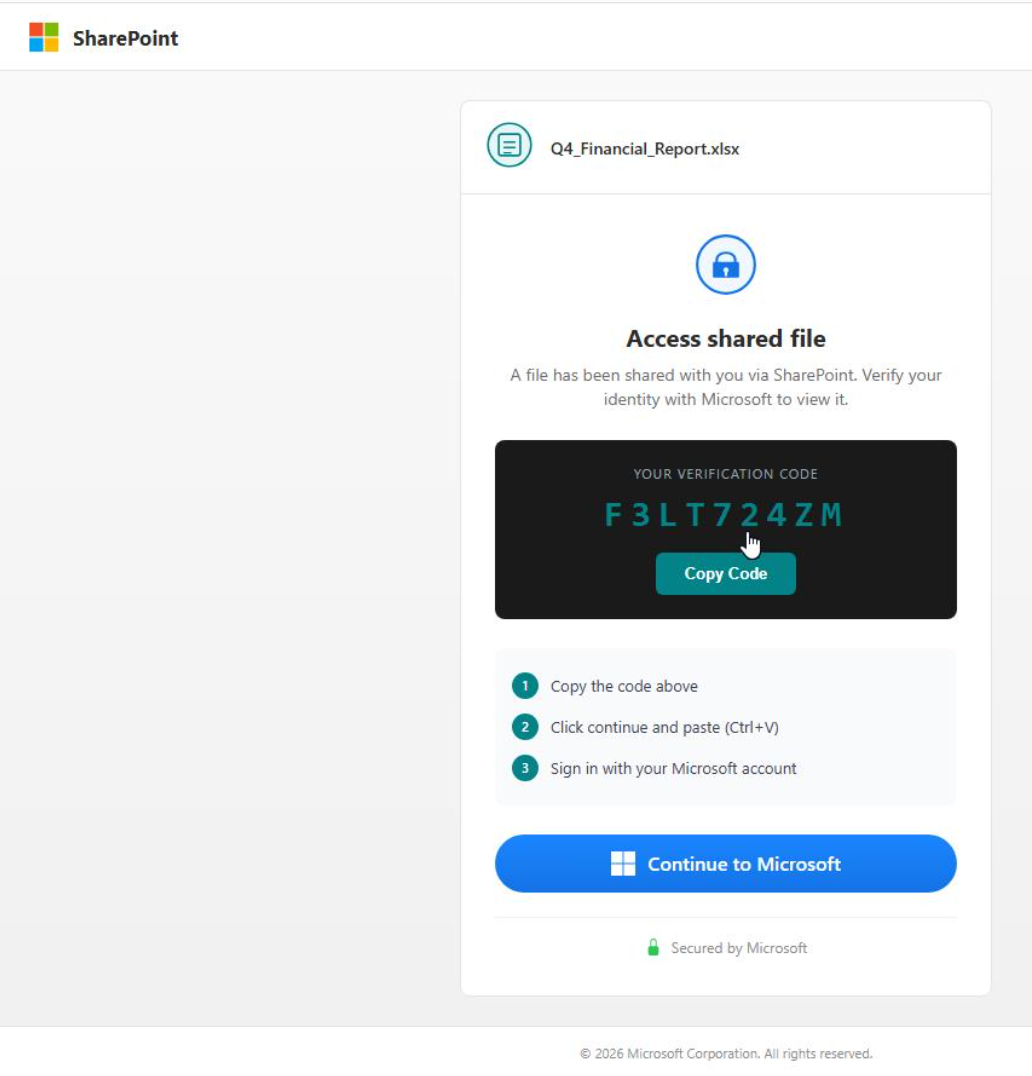
- The Impact: Because you enter the code on the authentic Microsoft login page, you authorize the attacker’s session on their remote device. They obtain an access token without needing your password or breaking your MFA setup.
Rogue Device Registration (Join Device Attacks)
Similar to abusing the Device Code Flow, this variant targets corporate identity environments (e.g., Entra ID / Azure AD).

- The Scenario: An email claims that your corporate laptop needs to be re-synchronized with the company’s security policy.
- The Trick: The email guides you through adding or registering a new device to your organization’s tenant via your system settings.
- The Impact: The user accidentally registers the attacker's device or grants an untrusted endpoint access to corporate resources, establishing persistent BYOD/MDM network access under the victim's privileges.
Browser-in-the-Browser (BitB)
BitB attacks visually replicate a third-party single sign-on (SSO) pop-up window (e.g., "Sign in with Google" or "Sign in with Microsoft").
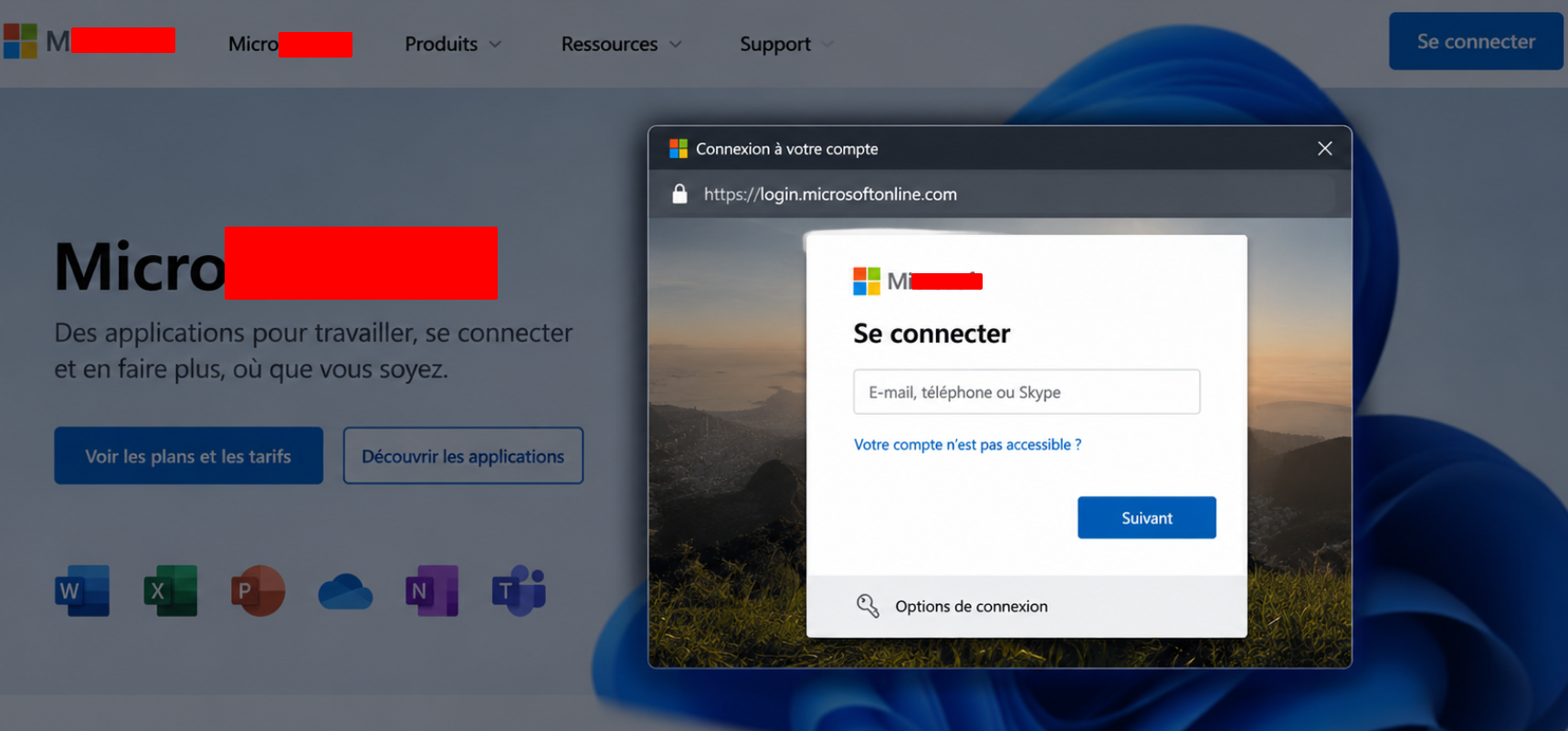
- The Scenario: Clicking a login button on a malicious site triggers what looks like a standard authentication pop-up.
- The Trick: Instead of a real browser window, it is an in-page HTML/CSS element. It displays a fake address bar with the exact URL of the identity provider, a security padlock, and realistic browser controls.
- The Impact: Believing you are on an official domain, you enter your credentials, which are captured directly by the threat actor.
MFA Fatigue (Prompt Bombing)
While executed after obtaining credentials, this technique relies on psychological manipulation to breach secondary defenses.
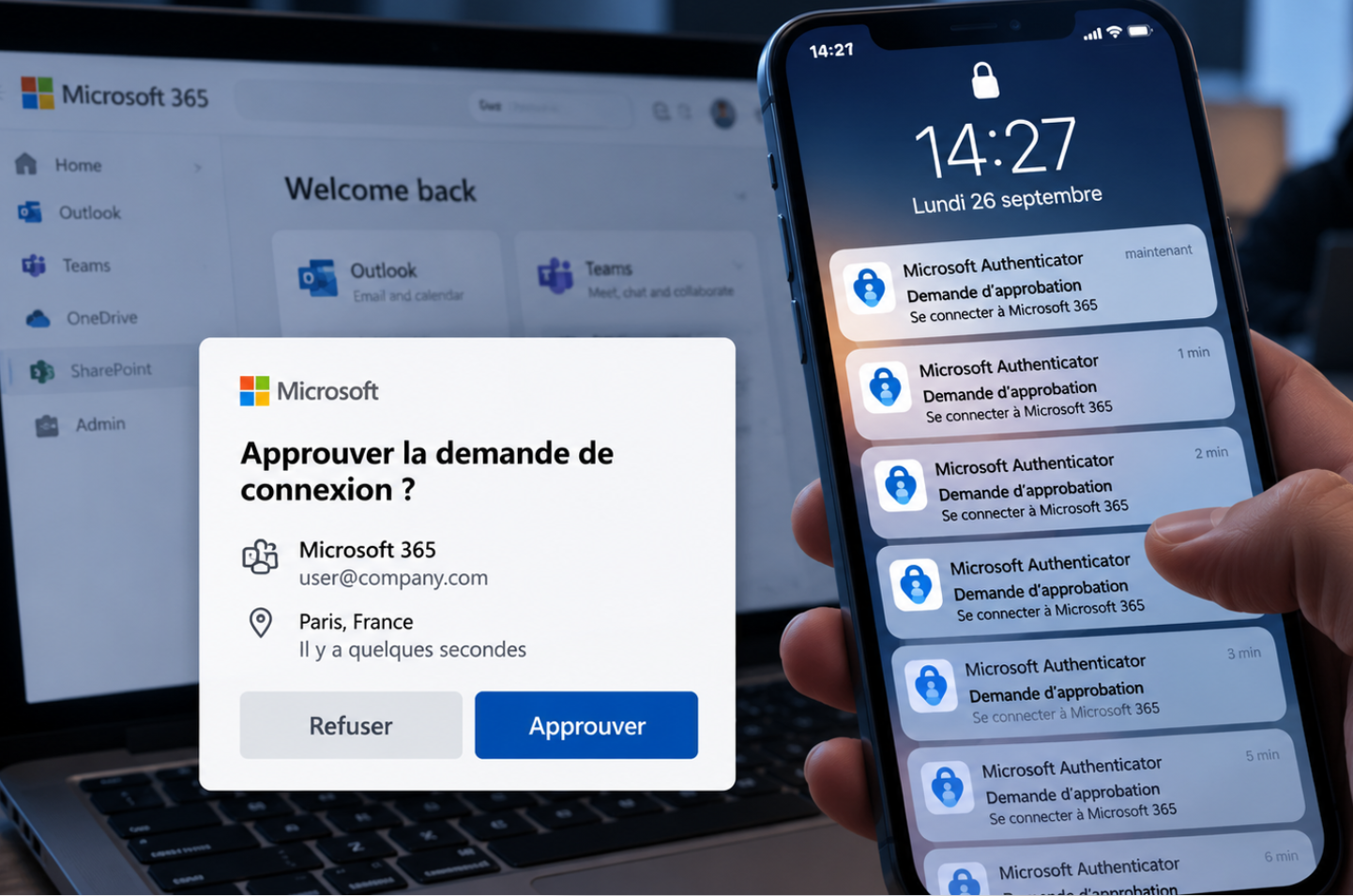
- The Scenario: The attacker already has your username and password, but faces a push-based MFA prompt.
- The Trick: They trigger dozens of MFA push notifications in rapid succession—often late at night—sometimes accompanied by a fake IT support call urging you to "accept the prompt to stop the system alerts."
- The Impact: Overwhelmed or distracted, the user clicks "Approve," letting the attacker finalize the login.